

Office & bookkeeping
DocBatch
Split, name and reconcile documents offline.
For office administrators, bookkeepers and small businesses. DocBatch splits combined PDFs into individual documents, names them from their contents, and reconciles them against a CSV or Excel register.
Gumroad · coming soon
Ask about early access
- Status
- In development · coming to Gumroad
- Price
- To be announced
Workflow
How it works
- 01
Choose files
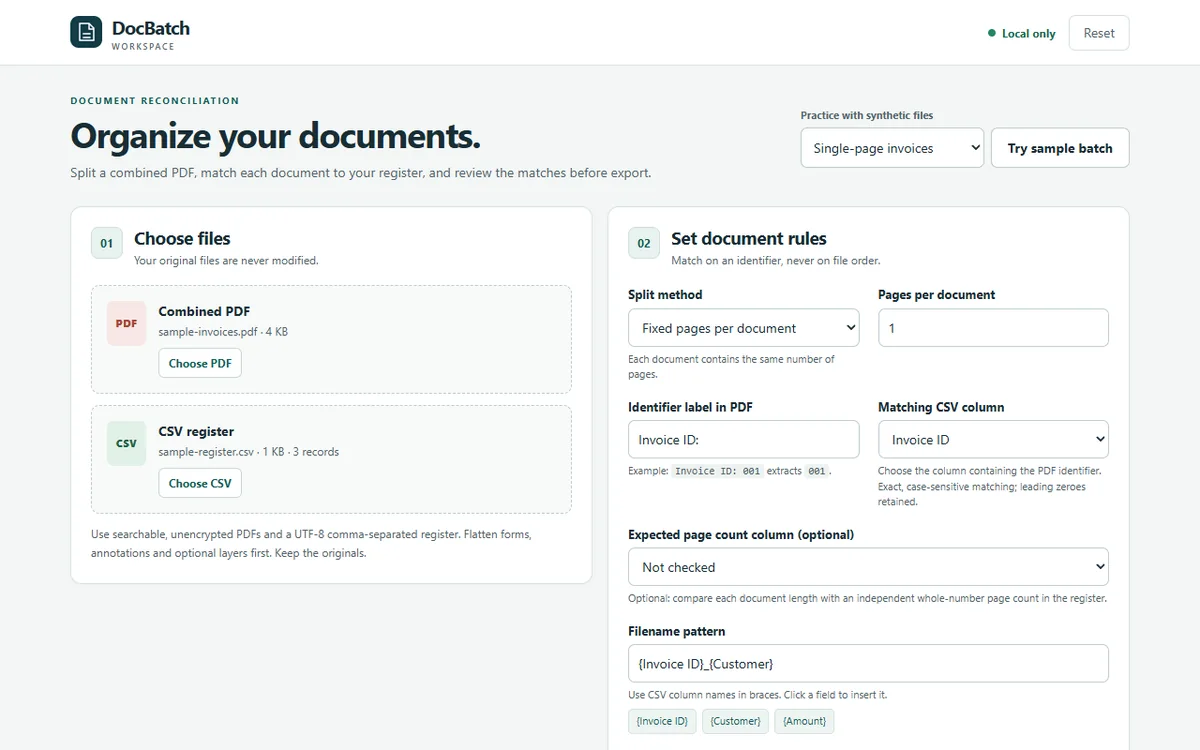
Select up to 20 searchable PDFs and, optionally, a CSV or Excel register.
- 02
Set rules
Split by fixed page count or by identifier, and choose a filename pattern.
- 03
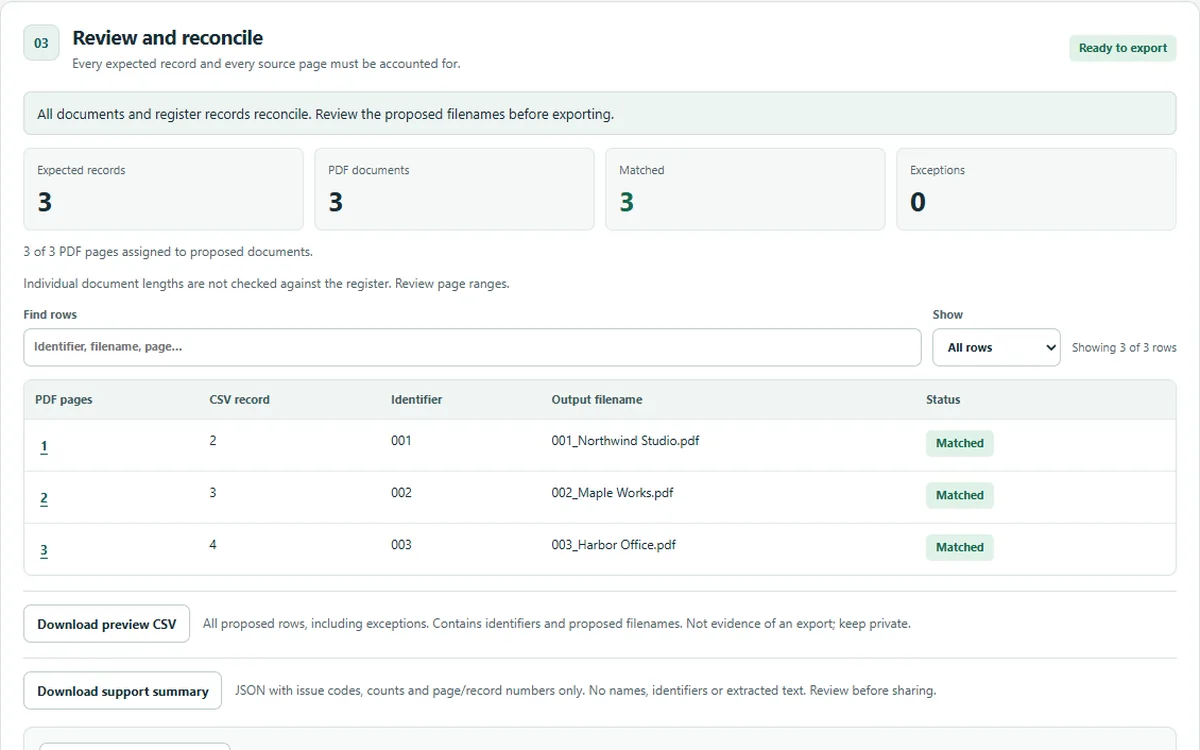
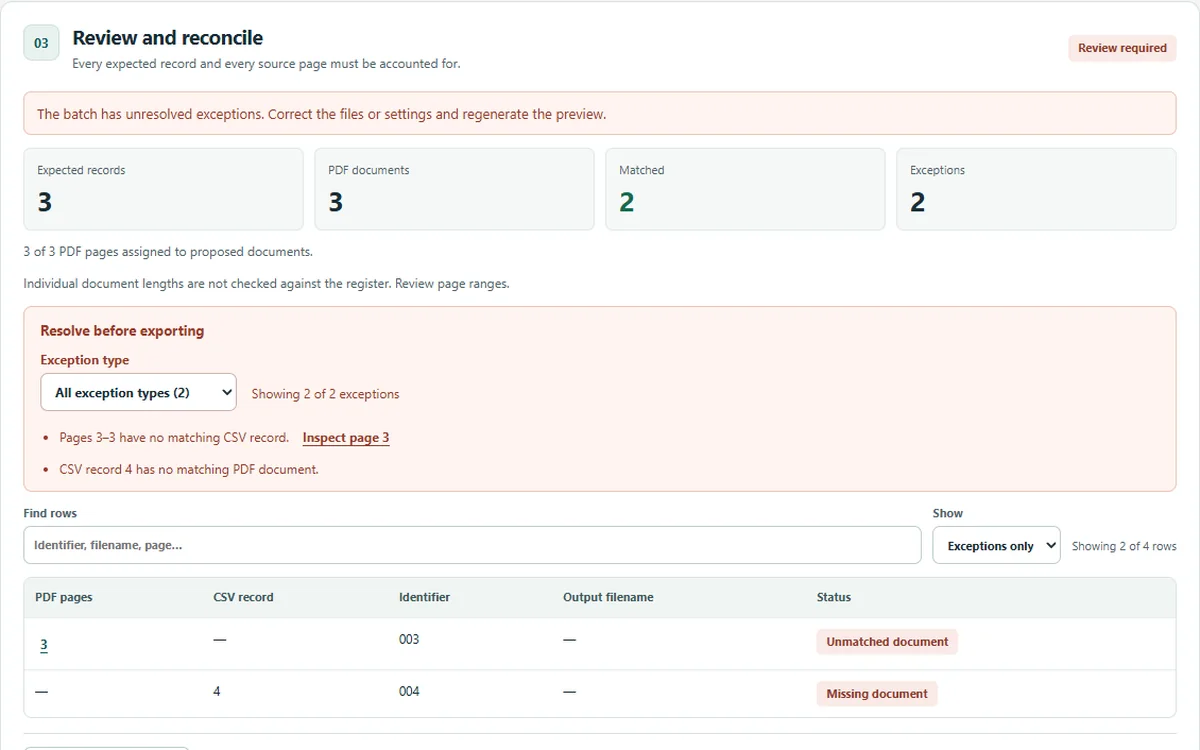
Review exceptions
Every record and every page must be accounted for; compare extracted text with the page itself.
- 04
Export
Download individual PDFs, a reconciliation CSV and checksums in one ZIP.
Screens
A closer look
Requirements
What you need
- Windows with Chrome or Edge
- No installation, account or internet connection
- Searchable PDFs (with a text layer)
Scope
What it doesn’t do
DocBatch reads the text already in a PDF. Scans without a text layer need OCR first.